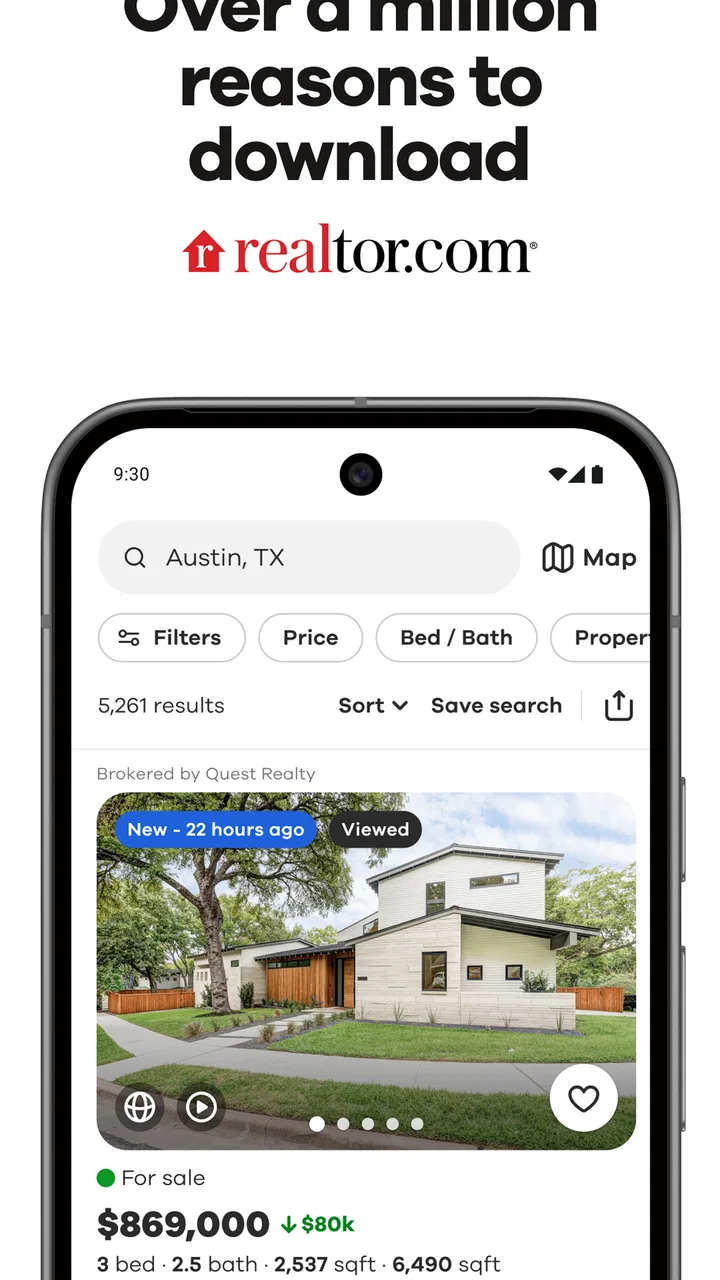
Realtor.com Real Estate & Rent
- 4.7
- Rating
- 10.00M
- Installs
- Free
- Price

 Analysis by App-foxy
When I use Realtor.com Real Estate & Rent, I mainly treat it as a way to turn a vague housing search into a manageable shortlist. Instead of jumping between scattered property pages, I can begin with a neighborhood, a type of home, or a rental need and gradually narrow what deserves my attention. That sounds simple, but it matters when every listing starts to blur together. The app is free, belongs to the House & Home category, and is developed by realtor.com®.
The capability I find most useful is its neighborhood-focused property search. I am not limited to thinking, “I need a two-bedroom apartment.” I can start with the area that fits my daily life, then compare homes for sale and apartments for rent within that wider search. That approach is more practical than browsing by price alone, because a cheaper home can become a poor deal if it creates a difficult commute or puts ordinary errands out of reach.
My overall impression is positive, and the public response reflects that: the app holds a 4.7 average from around 539 thousand ratings, with more than 10 million installs. Those figures do not replace personal testing, but they do suggest that Realtor.com has become a familiar tool for people making a major housing decision. I can see why. It is approachable enough for casual browsing while still being useful when I am actively comparing places.
You May Also Like

 AccuWeather: Weather Radar
AccuWeather Review: A Quick, Clear Forecast for Everyday Decisions
For everyday plans, the best forecast is the one you can understand quickly. AccuWeather makes rain timing, radar, and local conditions easy to act on, with a few trade-offs.

 Hill Climb Racing
Why Hill Climb Racing Still Turns Crashes Into One More Run
A tiny car, a bumpy hill and one more upgrade: Hill Climb Racing keeps resurfacing because its simple chaos makes every near-miss feel personal.

 AliExpress - Shopping App
AliExpress Makes Global Shopping Feel Personal, but Shoppers Bear the Risk
AliExpress turns a global marketplace into a pocket-sized discovery engine. Its reach is useful, its shopping loop compelling, and its trade-offs easy to miss.

 Lords Mobile: Kingdom Wars
Lords Mobile Is a Kingdom-Building Routine, Not a Quick Match
A case-by-case verdict on the building, battles, device demands, and social commitments that make Lords Mobile rewarding for some players and exhausting for others.

 PDF Scanner app - TapScanner
TapScanner Makes Paperwork Easier to Capture, Check, and Share
TapScanner makes scanning with a phone feel less like a rescue operation and more like a dependable step in getting work done. Its capture tools are useful, though not flawless.

 Block Blast!
Block Blast! Shows How Much a Puzzle Game Can Leave Out
A quiet grid game shows why puzzle players increasingly value instant clarity, repeatable skill and low-pressure play—and where the genre still needs to catch up.
More From Our News Desk
View All News


Why the neighborhood search matters more than endless scrolling
The strongest idea here is not simply showing homes. It is helping me search around a location instead of treating each property as an isolated object. When I look for a place to live, I am also choosing a routine: where I will shop, how far I will travel, and whether the surrounding area feels compatible with my priorities. A location-first workflow keeps those questions visible.
I find this especially helpful when I have only a rough idea of where I want to live. I might know that I want to be near a particular part of town, but not know which streets or nearby neighborhoods deserve consideration. Realtor.com lets me use that starting point to explore rather than forcing me to make a perfect decision before I begin. That lowers the pressure during the first stage of a search.
It also works well for comparing buying and renting as two possible paths. Someone who begins by looking for a house can switch their thinking toward an apartment if the available choices, location, or budget make renting more sensible. Likewise, a renter who keeps seeing unsuitable options may discover that a different nearby area offers more realistic possibilities. The app is most useful when it helps me question my first assumption instead of merely confirming it.
How I use it without losing track of the search
I start broadly, then reduce the results in stages. First I choose the general area and whether I am looking to buy or rent. After that, I look at the kind of property and the features that genuinely affect my decision. I try not to apply every preference immediately, because overly narrow searches can hide alternatives that might work with a small compromise.
Once I have a reasonable group of listings, I compare them by asking the same questions each time. Is the location practical for my normal week? Does the property match the space I actually need? Is the asking price sensible for what is shown? Does the listing give me enough information to justify contacting someone? This method is more reliable than judging each listing emotionally as I open it.
A useful habit is to separate “must have” requirements from “nice to have” details before browsing seriously. A suitable area or an acceptable number of bedrooms may be essential, while a particular finish or decorative style may not be. Realtor.com is easier to use when I bring that distinction with me. Otherwise, I can spend too much time chasing attractive details and overlook the practical reason I started searching.
I also avoid treating a listing as a final answer. The app helps me discover and compare possibilities, but a property page is still only one stage in the process. I would verify the current situation, ask direct questions, and arrange the appropriate next step before making any commitment. That mindset prevents the convenience of mobile browsing from turning into overconfidence.
A realistic everyday search
Imagine I am renting after changing jobs. I need a place that keeps my commute reasonable, but I also want enough room for a home office. I begin with the neighborhoods that seem workable, look across available apartments, and remove options that fail on location before I become attached to their photos. Then I compare the remaining homes by layout, cost, and the information included in each listing.
At that point, the app is doing more than showing me attractive interiors. It is helping me build a short list for a real decision. I can return to the strongest candidates, note which questions still need answers, and contact the relevant party only when a property survives my basic checks. That saves time compared with sending inquiries about every home that looks appealing for a few seconds.
The same process can help a couple with different priorities. One person may care most about access to work, while the other wants more living space or a particular neighborhood feel. Looking at homes through the same location-based search gives them a shared set of options to discuss. It does not settle the disagreement, but it makes the conversation more concrete.
Where it improves on the usual alternatives
The usual alternative is to search through a general web browser, open many separate pages, and keep trying to remember which property appeared where. That can work, but it creates friction. A dedicated real-estate app gives the search a clearer purpose and makes it easier to return to housing results instead of mixing them with unrelated pages.
Another alternative is relying on informal listings or social media posts. Those sources can reveal opportunities, but they may be inconsistent in presentation and harder to compare. Realtor.com gives me a more structured starting point for evaluating homes in the same area. I still would not assume that one service contains every possible property, so I would use another source when I need the broadest possible market coverage.
Compared with visiting an agent before I know what I want, the app gives me more privacy during the early research stage. I can explore neighborhoods and property types at my own pace. That is useful for first-time buyers or renters who are still learning what their budget and priorities can realistically support. On the other hand, a knowledgeable professional may be better when the search involves complicated financial, legal, or timing questions.
The tradeoffs I noticed
The biggest limitation is that a search result can feel more complete than it really is. A polished listing encourages me to focus on visible details, while important concerns may require direct questions or an in-person visit. I remind myself that the app is a discovery and comparison tool, not a substitute for checking the property, understanding the terms, and confirming that the opportunity is still relevant.
There is also a risk of becoming too filter-driven. If I define the perfect home too narrowly, I may eliminate a suitable property because of one preference that could have been negotiated or reconsidered. I get better results when I use filters to protect my essentials, then inspect the broader neighborhood results with an open mind.
Mobile browsing can encourage quick judgments. A photo may make one apartment seem much better than another, even though the less attractive listing could have a more useful layout or location. I try to compare facts and practical fit before appearance. That is a personal discipline rather than a feature, but it makes the app considerably more valuable.
The app is not the right choice for someone who expects a complete transaction from a single screen. Housing decisions involve conversations, documents, visits, and careful verification. Realtor.com can organize the early search and help me decide where to focus, but it cannot remove the responsibility that comes with renting or buying a home.
Who benefits most from it
I would recommend it most to renters and buyers who are still mapping out their options. If I know the general area but need to understand what is available there, the app gives me a practical way to explore. It is also useful for people moving to a new city, because neighborhood-based browsing can provide an initial sense of how their preferred areas differ.
First-time searchers may appreciate the straightforward starting point. They can browse before speaking with anyone, learn which property types appear in their target area, and develop more realistic questions. The app is also convenient for someone with limited time who wants to review possibilities during a commute break or after work rather than sitting at a desktop computer.
It may be less suitable for an experienced local buyer who already has a trusted professional and a highly specific search plan. In that situation, the app can still be a useful second opinion, but it may not add enough value to replace a tailored service. It is similarly less useful for someone who only wants a particular off-market opportunity or expects every local listing source to appear in one place.
For privacy-conscious users, I would approach any housing app thoughtfully and share only what is necessary when moving from browsing to contact. The free price makes trying it low-risk, and the Everyone content rating makes it broadly accessible, but a major housing decision still deserves careful judgment about every interaction.
Practical details before installing
Realtor.com Real Estate & Rent has been available since November 3, 2010, which helps explain why it feels like an established housing-search option rather than a brand-new experiment. The current version is 26.11.130, and it requires Android 8.0 or later. It is free to install, so I can test the search experience without paying an upfront app price.
The developer shown for the app is realtor.com®. That recognizable identity may be reassuring to people who want to begin with a dedicated real-estate service rather than an unknown listing tool. Still, I would judge each property on its own information and follow normal caution when communicating about a home.
One practical question is whether the app is only for buyers. It is not limited to that use: I can search for apartments for rent as well as homes for sale. That makes it more flexible for people whose plans may change, although I would still choose one clear goal at a time so the results do not become confusing.
Another question is whether it helps someone who has not chosen a neighborhood. I think it does, provided I use it as an exploration tool. I can begin with a broad area, compare nearby possibilities, and notice which locations repeatedly fit my needs. The important point is to treat early results as research, not as proof that one neighborhood is automatically right.
Users may also wonder whether the app can replace a property visit. In my view, it cannot. The app can help me decide which homes deserve a closer look, but photos and listing details cannot answer every question about noise, condition, surroundings, or the experience of being there. The best workflow is to use mobile browsing to reduce the list, then investigate the finalists properly.
Finally, I would ask whether it is worth keeping after the first search. For me, yes, if I am actively comparing neighborhoods or expect my housing plans to evolve. The ability to revisit a focused search is more useful than repeatedly starting from scratch. If I have already found a place and no longer need to compare options, its value naturally becomes smaller.
My final take
I like Realtor.com Real Estate & Rent because its most valuable contribution is practical rather than flashy: it gives me a clearer way to search around the place where I want to live. That focus helps me compare homes in context, avoid wasting time on unsuitable areas, and turn a large collection of listings into a shortlist I can actually discuss or visit.
I would not use it as my only source or as a replacement for careful housing research. Its results still need human judgment, and its convenience can tempt me to make decisions too quickly. But when I use it to explore neighborhoods, compare buying with renting, and prepare better questions, it becomes a genuinely helpful part of the process.
My recommendation is simple: install it if you are beginning a home search, relocating, or trying to understand what a particular area offers. Use broad searches first, protect only your essential requirements with filters, and verify the finalists outside the screen. For that kind of disciplined search, Realtor.com Real Estate & Rent is a useful companion rather than just another list of properties.
FAQs for Realtor.com Real Estate & Rent
01What features does the Realtor.com Real Estate & Rent app offer?
The Realtor.com app provides a comprehensive suite of features for homebuyers and renters, including real-time listings, property photos, and detailed neighborhood information. Users can access mortgage calculators, save searches, and receive notifications about new listings and price drops. The app also offers 3D tours and a map-based search function to enhance the property-hunting experience.
02How accurate are the listings on Realtor.com?
Realtor.com is known for its up-to-date and accurate listings, thanks to direct connections with Multiple Listing Services (MLS) across the country. This ensures that users receive the latest information about property availability and pricing, making it a reliable choice for those actively searching for homes or rental properties.
03Is the Realtor.com app free to use, or are there any hidden costs?
The Realtor.com app is free to download and use, providing all its basic functionalities at no cost. Users can browse listings, save searches, and set up alerts without any fees. However, while there are no hidden costs within the app, users should be aware of potential service fees associated with real estate transactions.
04Can I contact real estate agents through the Realtor.com app?
Yes, the Realtor.com app allows users to easily connect with real estate agents. Each property listing includes contact information for the listing agent, and users can send inquiries directly through the app. This feature facilitates quick communication and helps streamline the process of scheduling viewings or obtaining additional property information.
05Does the app support customized search filters?
The Realtor.com app offers extensive search filters to help users find properties that meet their specific criteria. Users can filter by price range, number of bedrooms and bathrooms, property type, and more. Additionally, the app provides options to search by school district, commute time, and other essential factors, ensuring a personalized and efficient search experience.
Pros
- User-friendly interface with intuitive navigation.
- Comprehensive property details and photos.
- Customizable search filters enhance usability.
- Real-time alerts for new listings.
- Mortgage calculator for financial planning.
Cons
- Limited international property listings.
- Some features require account creation.
- Occasional app crashes reported by users.
- Ads can be intrusive during searches.
- Map view can be slow to load.

Realtor.com Real Estate & Rent
Gallery